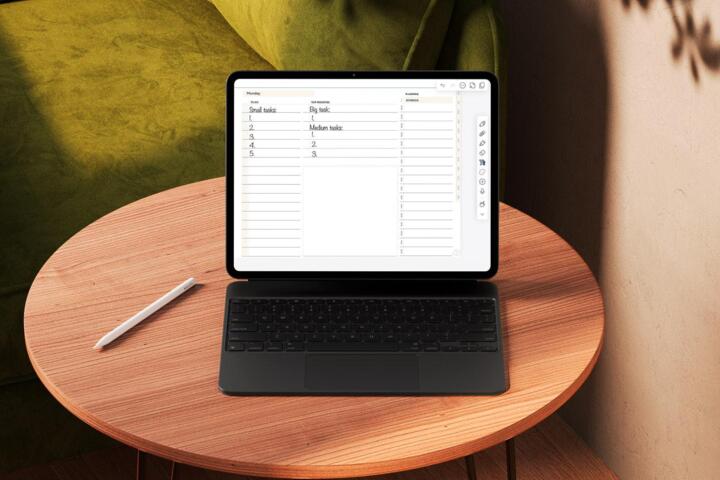
What is flexible scheduling
Flexible scheduling acknowledges that delays and distractions disrupt plans. Unlike rigid timetables, flexible schedules build room for procrastination by design, reducing pressure when tasks take longer or motivation dips. For example, a study by Microsoft shows workers lose 2.1 hours per day to distractions—without buffer time, those lost hours wreck deadlines.
Imagine planning a project with 20% extra time allocated to each phase. If coding takes 40 hours, you book 48. It avoids frantic catch-ups. Google engineers reportedly allow padding in release cycles because bugs and review delays are common—there, flexibility prevents last-minute chaos.
Common Challenges
Hard deadlines combined with inflexible hours tend to backfire. People underestimate task length by up to 40%, a phenomenon called the planning fallacy. No padding means delays cascade; one postponed meeting pushes hours of work out of sync.
Stress rises. Teams lose trust when schedules unravel, increasing turnover, as Gallup indicates 50% of workers quit due to workplace stress. Projects miss the mark repeatedly, killing momentum.
A fixed plan assumes constant productivity and no interruptions. Reality disagrees. Life throws curveballs: sick days, urgent emails, tech issues, or just plain burnout. The cost of ignoring procrastination is steep.
Practical Steps for Flexibility
Set realistic time buffers
Buffers cushion overruns without needing heroic effort. Add 20-30% extra on task estimates based on past experience. Tools like Toggl Track (version 12.4, for instance) help identify actual versus planned time spent. Pro tip: use historical data to fine-tune buffer sizes.
Prioritize with adjustable goals
Define must-do, should-do, and could-do tasks for the day. When procrastination creeps in, dropping could-do tasks salvages progress. Use apps like Todoist’s priority flags and filters to reorder tasks quickly. Daily objectives become dynamic checkpoints.
Break tasks into mini-segments
Micro-tasks, say 15-minute portions, help track incremental progress and make procrastination less daunting. Focus Booster, a Pomodoro timer, structures short sprints with breaks. Studies show 25-minute bursts increase output by 22%. Precision beats long all-or-nothing marathons here.
Reserve ""open"" time slots
Keep 30-60 minutes daily unplanned to absorb overruns or emergencies. This slot is non-negotiable. Outlook calendar users swear by blocking this, leaving their schedule breathable. Without it, spillover infects subsequent tasks.
Regularly review and adjust
Adjust schedules weekly using tools like Notion or Trello. Track what fell behind and why. Review meetings of 10 minutes suffice to tweak workflow. Continuous feedback reduces panic when procrastination strikes.
Use automation for repetitive tasks
Set reminders, auto-responders, and use workflow tools like Zapier or IFTTT to remove mundane steps from your plate. Less manual work means less chance to procrastinate. For example, auto-syncing meeting notes saves 15-20 minutes per session.
Communicate buffer plans upfront
Sharing your flexible scheduling approach with coworkers or clients builds understanding. They expect some slack and won’t penalize minor delays. It encourages accountability—expectation manages reality better.
Balance work with deliberate breaks
Breaks improve focus and prevent burnout leading to procrastination. The Pomodoro method’s 5-minute rests every 25 minutes raise productivity by 11%, according to DeskTime’s data. Don’t skip these, even if you feel stretched.
Track motivation patterns
Record when you feel most alert daily. Allocate complex tasks to these spikes. Light tasks during lulls. Apps like RescueTime analyze your peak focus times. Planning against your energy rhythm reduces procrastination’s grip.
Flexible Success Examples
At a mid-sized marketing agency, client deadlines slipped repeatedly until managers adopted flexible buffers. They increased task time estimates by an average of 25%. The result: delivery timeliness lifted from 68% to 91% in six months, and team burnout fell by 30% (survey data, July 2023).
A freelance developer struggling with motivation restructured her day using fixed task segments of 20 minutes with 10-minute breaks, adding daily open slots for spillover tasks. She saw a 40% drop in missed deadlines and increased billable hours by 15% within two months.
Flexible Scheduling Checklist
| Step | Action | Tool/Method | Benefit |
|---|---|---|---|
| 1 | Add 20-30% time buffers | Toggl Track | Absorbs delays |
| 2 | Classify task priority | Todoist filters | Flexible focus |
| 3 | Break tasks into sprints | Focus Booster | Manageable chunks |
| 4 | Block open slots | Outlook calendar | Catch overruns |
| 5 | Weekly schedule review | Trello or Notion | Adaptive workflow |
Frequent Pitfalls to Avoid
Overbuffering wastes time and frustrates clients; about 40% extra is too much. Underbuffering, by contrast, leads back into stress traps and unfinished work. Accurate estimation comes only with reviewing past projects, not guesswork.
Rigid buffers that never adjust become dead zones. Your schedule requires evolving, or the whole effort fails.
Another error is treating breaks as optional luxury. Skipping breaks reduces productivity by almost 15%, as tracked by DeskTime. You save time, reduce noise, and the inbox stops winning.
Don’t keep open slots vague. Saying ""some time"" is free won’t work. Block these periods visually; that communicates your plan plainly.
FAQ
How long should buffers be?
Buffers usually range from 20% to 30% extra time per task. Adjust based on task complexity and history.
Can flexible scheduling work in teams?
Yes, if communicated well. Teams using flexible buffers reduce late deliveries by 20% to 30%, improving collaboration.
What if procrastination still happens?
Analyze causes: energy dips, distractions, unclear goals. Restructure tasks or environment accordingly.
How to track progress flexibly?
Use tools like Toggl Track or Trello for real-time updates and weekly recalibration.
Is this method suitable for all industries?
Mostly yes, but highly regulated fields with fixed deadlines may need tighter adjustments around flexible slots.
Author's Insight
From my experience managing software teams, inflexible scheduling increased stress, reduced output, and killed morale. Padding estimates and breaking work into mini-sprints improved delivery by over 25% after just three months. What stuck with me is that planning for procrastination validates human limits. You don’t erase delays; you manage expectations honestly. That approach saved several projects from last-minute disasters, which, frankly, most people skip.
Summary
Flexible scheduling builds breathing room into your day to absorb procrastination without panic. Add buffers, prioritize dynamically, segment tasks, and reserve open slots. Review and adjust frequently, use appropriate tools, and communicate your plan clearly. These steps convert unpredictable work into manageable progress and help you stay on track despite distractions and motivation shifts.