More Apps, Less Done
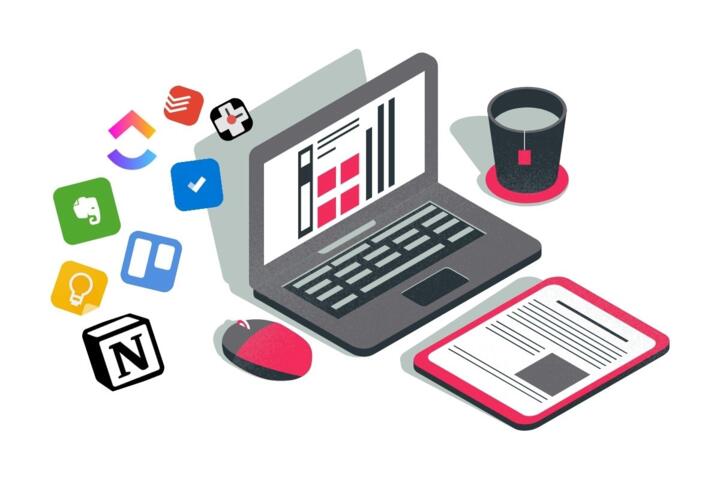
App sprawl shows up when every task gets its own app, then every app asks for another login, another permission, another notification rule, and another place to record the same detail. The result feels like progress at first, then turns into a scavenger hunt for the “latest” information. In health routines, that scavenger hunt can matter because timing, consistency, and documentation affect what you can share with clinicians and what you can act on yourself.
Consider a simple chain: you track symptoms in one app, log meals in another, store lab results in a third, and message a clinic through a portal. Each system has its own data format and update schedule. When you miss one step, the story becomes incomplete, and you spend time reconstructing it instead of using it. I’ve seen this pattern with tools like Todoist v2.0.0-style task lists and note apps that sync “eventually,” which is fine for journaling and frustrating for medication timing.
Where The Friction Hides
People often assume more apps means more coverage, but health work depends on fewer things: a reliable place to capture events, a reliable place to review them, and a reliable way to share them. App sprawl breaks those dependencies. A symptom entry made in one app might not show up in the calendar view you use for appointments. A medication reminder might fire, but the dose history might live in a different app that you forget to open.
Another pain point is notification overload. When you enable alerts for every app, you train yourself to respond to interruptions instead of patterns. You also create a “dismiss reflex,” where you swipe away reminders without checking whether the underlying task is actually due. That reflex is easy to build and hard to unlearn, especially when multiple apps use similar wording like “check in” or “log now.”
Data duplication also creates silent errors. If you log blood pressure in one place and weight in another, you may end up with mismatched dates, missing units, or entries that look correct but refer to different times of day. Some apps store timestamps in local time while others store in UTC, which can shift entries by hours. That mismatch rarely matters for casual tracking, but it matters when you’re trying to spot trends or answer a clinician’s question about timing.
Finally, app sprawl increases the cost of maintenance. Updates, password resets, permission changes, and subscription renewals all create moments where the system stops working. Even when the app still opens, it may stop syncing in the background until you grant a permission again. The “it still works on my phone” problem becomes real when you switch devices or travel.
Solutions That Reduce Noise
Pick One Capture Path
Choose a single “front door” for new health events: symptoms, side effects, medication doses, and appointment notes. A capture path can be a notes app, a dedicated symptom tracker, or a calendar with structured entries, but it should be the place you use immediately. Then set a rule: you never enter the same event in two apps. If you need a second view, you can export or share from the capture app instead of re-logging.
Practical method: create one template for entries (date, time, what happened, severity, and what you did). Many people skip templates because they feel slow, yet templates reduce the time spent deciding what to write. If you use a task manager, keep tasks separate from logs; tasks answer “what next,” logs answer “what happened.”
Use Review Windows, Not Constant Checks
Replace “check every app” habits with review windows. For example, schedule a 10-minute review once per day for symptom and medication logs, and a 15-minute review once per week for trends and upcoming appointments. This reduces the cognitive switching cost that comes from opening multiple apps. It also makes it easier to notice when one app stops syncing.
Realistic outcome: many people can reduce daily app openings from dozens to a handful when they commit to a fixed review time. If you track medication, review windows should include dose confirmation and any missed doses. If you track symptoms, review windows should include a quick scan for patterns like triggers, timing, and response to interventions.
Consolidate Sharing With Exports
Clinicians usually need a summary, not a tour of your app library. Use export or share features to generate a report from your capture app or from the app that holds the most relevant data. Some apps export CSV, PDF, or a structured report; others share a timeline view. When exports exist, you can keep your workflow simple while still meeting documentation needs.
Practical aside: I’ve seen people lose time because they rely on screenshots. Screenshots work, but they often omit units, time zones, and medication names exactly as the clinician expects. A CSV export with consistent units can save time when you’re preparing for a visit.
Set Notification Rules Like A Budget
Treat notifications as a limited budget. Start by turning off non-essential alerts across apps, then re-enable only the ones tied to time-critical actions. For medication reminders, keep one channel. For appointment reminders, use one calendar system. For symptom logging, consider gentle prompts that do not demand immediate action, since forcing immediate logging increases drop-off.
Outcome target: aim for fewer than three notification categories per day. If you exceed that, you’ll likely start dismissing alerts without reading them. You can also add a “quiet hour” rule so reminders do not compete with sleep or work blocks.
Case Examples From Real Life
Scenario 1: A person manages migraines and uses four apps: one for headache tracking, one for weather, one for habit reminders, and one for journaling. After two weeks, entries appear in the headache app but not in the journaling app, and the habit app shows missed days. The person spends 20 minutes before each appointment reconstructing what happened. The fix is to keep capture in the headache app only, add a single “notes” field for triggers, and export a weekly summary. The weather app becomes a reference tool, not a logging tool.
Scenario 2: A person with diabetes logs meals in one app and glucose readings in another. The meal app uses local time, while the glucose app stores entries in a different time basis, causing a mismatch around midnight. The clinician asks about timing of meals relative to readings, and the person cannot answer confidently. The fix is to choose one source of truth for timestamps and to standardize entry times (for example, always log meals with an explicit time and confirm time zone settings). After that, the person can answer questions without re-checking every entry.
Checklist To Choose Apps
| Decision Point | Good Sign | Red Flag | Action |
|---|---|---|---|
| Capture | One place to log events immediately | Two apps ask for the same entry | Pick one “front door,” disable the other |
| Review | Scheduled review windows | No plan, constant checking | Set daily and weekly review times |
| Sharing | Export or share timeline with units | Screenshots only, missing context | Test export before committing |
| Notifications | Time-critical alerts only | Multiple overlapping reminders | Turn off duplicates, cap categories |
| Maintenance | Sync works across your devices | Frequent permission resets | Run a 2-week test period |
Use the checklist as a filter, not a scorecard. If an app fails one core requirement, it often fails in practice because the workflow breaks under stress, travel, or missed days.
Common Mistakes That Stall
One mistake is treating every health goal as a separate app. Symptom tracking, medication reminders, and appointment management can live in one system with different views. When you split them across apps, you add friction at the exact moments you’re least patient.
Another mistake is enabling every notification type. People often start with “just in case” alerts, then spend weeks training themselves to ignore them. A calmer setup reduces missed doses and reduces the time spent re-checking entries.
A third mistake is assuming data accuracy without checking timestamps and units. If you log blood pressure, glucose, or weight, confirm the unit settings and time zone behavior. If you log in one app and review in another, verify that the dates match what you expect around midnight.
Finally, people forget to plan for app failure. If an app stops syncing, you need a fallback capture method. That fallback can be a single note entry in your capture app, a calendar event, or a simple text log. The goal is continuity, not perfection.
FAQ
How many health apps should I use?
Use as few as you can while keeping one reliable capture place, one review routine, and one sharing method. If you need multiple apps, make one the source of truth for each data type.
Why do my logs look incomplete?
Incomplete logs usually come from notification fatigue, missing the capture moment, or sync delays between devices. Check whether entries appear with the correct timestamps and whether background syncing stays enabled.
What should I track for a clinician visit?
Track what answers the clinician’s questions: symptom timing and severity, medication doses and missed doses, and any side effects. Add a short notes field for triggers and responses so you do not need a separate journaling app.
How do I reduce notification overload?
Turn off non-time-critical alerts, keep one reminder channel for medication, and schedule review windows. Aim for a small set of notification categories so you read alerts instead of dismissing them.
Can app sprawl affect data privacy?
More apps usually means more accounts, more permissions, and more data sharing pathways. Review each app’s permissions and privacy policy, and avoid granting access you do not need for the specific workflow.
Author's Insight
App sprawl behaves like a workflow tax: each extra app adds setup, friction, and failure points, which reduces follow-through. Health tracking depends on consistent capture and review, so the bottleneck often becomes attention and maintenance rather than the act of logging. A careful approach treats apps as tools in a single pipeline: capture, review, and share. When you test a new app for two weeks and measure whether entries appear correctly and on time, you learn more than from feature lists.
Key Takeaways
- Choose one capture path and avoid re-logging the same event in multiple apps.
- Use scheduled review windows to prevent constant checking and notification fatigue.
- Standardize timestamps and units so your data stays interpretable across apps.
- Cap notification categories and keep one reminder channel for time-critical tasks.
- Test exports and sync behavior before committing, then keep a simple fallback if an app fails.