Why Weekly Reviews Matter
A weekly review is more than just updating your to-do list. It actively frees mental bandwidth by giving you clarity on what matters and what can wait. A 2023 Microsoft study found that knowledge workers spend 28% of their day managing tasks and priorities. Without regular reflection, tasks pile up unnoticed, causing stress and lost productivity.
Imagine sitting down Friday afternoon with one clear snapshot of your projects, emails, and calendar — instead of juggling random thoughts and reminders. Successful professionals swear by this habit, often dedicating under 60 minutes weekly for it. Clear mind. Fewer mistakes. Better focus.
Where Most Reviews Fail
People confuse a weekly review with a general catch-up. They skim emails, glance at calendars but never question if tasks earn a spot for next week. This fragmented approach bloats your list, making it harder to choose what to tackle first. The consequence is simple: decision fatigue, procrastination, and burned-out focus.
For example, a project manager who doesn’t prioritize weekly goals often loses track of blockers and deadlines until a meeting calls them out. Another common trap: reviewing without a consistent framework leads to skipping important steps, which delays progress.
The Weekly Review Setup
Collect All Inputs
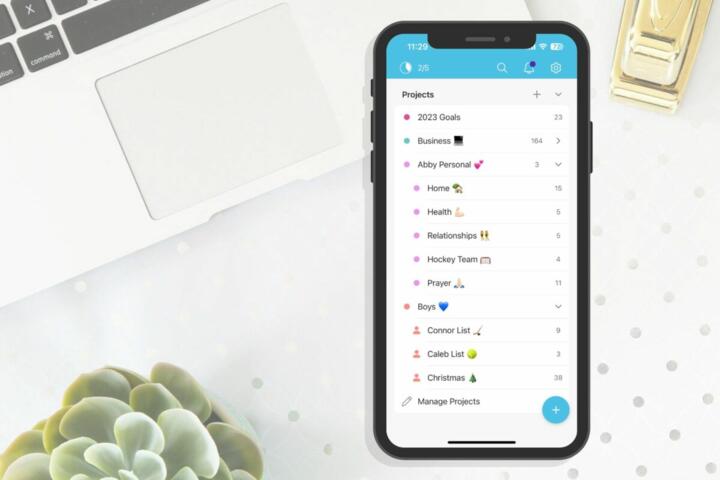
What to do first: gather everything unfinished—emails, notes, task lists, meeting minutes—in one place. This physical or digital inbox stops your brain from playing mental ping-pong. Applications like Microsoft To Do or Evernote work well here. I use Things 3 (build 1016) for this, mixing manual and automated capture. Getting everything visible unlocks clear judgment.
Process Each Item
Don’t just read your inbox; process each item with a goal: decide next action, defer, delegate, or delete. This active decision shrinks your mental load. It looks like this: Email about report? Action: draft outline Monday. Note about maintenance? Delegate to IT. This method nails down actual steps and kills ambiguity in a list of 40+ items.
Review Projects and Goals
Next, check project statuses against deadlines. If progress stalled, identify blockers or adjust timelines. Using Trello or Asana lets you visualize stages and bottlenecks. For example, when reviewing a 10-task project, I usually identify 2–3 key blockers that keep it stalled—fixing those frees the whole timeline.
Calendar Check
Look two weeks ahead. Confirm meetings, deadlines, and prep time. Cross-check commitments versus priority lists. A wrongly-booked call or forgotten deadline ruins even the best plans. I jot these in Google Calendar, adding buffers. That small buffer often saves sanity during hectic weeks.
Clear Your Workspace
Physical clutter reflects mental clutter. Take five minutes clearing your desk, filing papers, or tidying digital files. Studies link clean desks with enhanced focus and stress reduction. I remember seeing 2019 Cornell research indicating a 20% boost in task efficiency post-cleanup. It rarely takes more than 5 minutes.
Set Weekly Intentions
Decide what success means for the week, pinpoint 3 top priorities, and schedule time blocks for them. Writing intentions down anchors effort for distractions that inevitably pop up. This simple plan can slice wasted time in half.
Reflect and Adjust
Spend a moment reviewing what worked last week and what didn’t. This is not journaling fluff but focused notes: Did you underestimate meeting prep time? Were recurring distractions preventing task blocks? Note issues, then test small fixes.
Real-Life Review Examples
At a mid-sized digital agency in Austin, the team struggled with chaotic week-start meetings. They adopted a weekly 45-minute review: every Friday afternoon, each lead collected open tickets, assessed project progress in Jira, and set clear next steps for Monday. Within 2 months, project delays dropped 30% and team stress ratings fell by half (based on internal survey data).
Another case: a freelance writer juggling multiple clients used Todoist to collect tasks during the week. On Sunday evening, she processed the list and allocated writing blocks, with a two-minute timer app discarded early, too awkwardly disruptive. Her productivity doubled, and client complaints about missed deadlines vanished.
Weekly Review Checklist
| Step | Action | Tool | Time |
|---|---|---|---|
| 1 | Gather incomplete items | Inbox, Evernote | 10 mins |
| 2 | Process each task | Things 3, Todoist | 15 mins |
| 3 | Review projects | Asana, Trello | 10 mins |
| 4 | Check calendar | Google Calendar | 5 mins |
| 5 | Clear workspace | Physical Tips | 5 mins |
| 6 | Set intentions | Notebook, App | 5 mins |
| 7 | Reflect & note tweaks | Journal | 5 mins |
Avoid These Pitfalls
Start by not skipping the collection phase. Free-floating tasks will sneak in next week, and the cycle restarts. Also, don’t rush the decision stage — that’s where your brain gets relief or stress. Resist the trap of multitasking during the review. If your email inbox interrupts your flow, the review loses its calming effect.
Neglecting to schedule your weekly review blocks causes inconsistent practice. Block times and protect them with discipline. Otherwise, you’ll only review when overwhelmed, too late for clear thinking.
FAQ
How long should a weekly review take?
Typically 45 to 60 minutes. If you track multiple projects, allow additional time. Quality matters more than speed.
Can I do a review daily instead?
Daily touches help maintain flow but miss the broader perspective a weekly review captures. Both work best combined.
Which tools best support weekly reviews?
Tools with inbox collection and project views excel: Todoist, Asana, Trello, and Things 3 among them. Pick what fits your workflow.
How to stay consistent with reviews?
Schedule fixed weekly slots and treat them like non-negotiable appointments. Use calendar reminders and alarms.
What if I miss a review?
Don’t skip the next one. Skipping creates backlog. Catch up by quickly processing critical items first.
Author's Insight
I’ve done weekly reviews sporadically for years. What changed was defining clear steps and protecting time on Friday afternoons. Those 45 minutes often save hours later. Avoid clutter upfront. That means ruthless task trimming and calendar sanity checks. When you finish, your mind shifts off overload to focus mode. I’m convinced that skipping the review invites stress, which I now prioritize avoiding.
Final Thoughts
The weekly review’s strength lies in disciplined collection, precise processing, and reflection. Devote 45 minutes to gather all pending tasks, decide on each, review projects and calendar, then set clear weekly intentions. The habit thwarts mental noise, improves planning, and cuts down on stress. Protect the slot. Cut interruptions. Your mind will thank you.