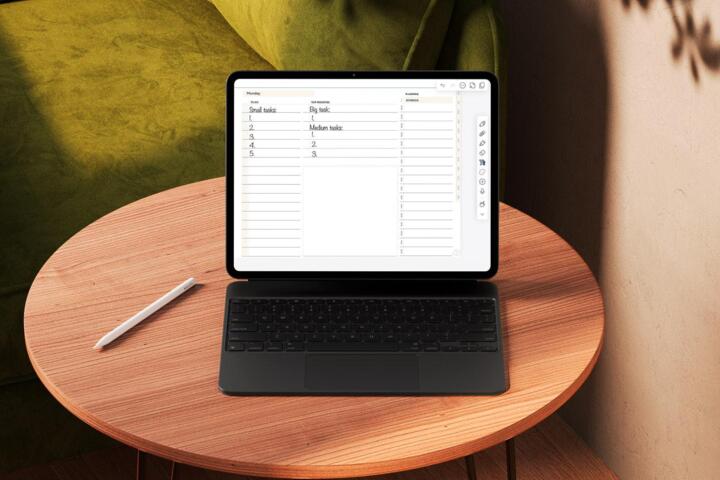
The Temporal Budget
Zero-based calendaring (ZBC) is the temporal equivalent of zero-based budgeting in finance. In a ZBC system, you do not simply list appointments; you account for every single minute of your 24-hour cycle. This method treats time as a non-renewable resource that must be "spent" intentionally before the day begins.
The goal is to move from a "to-do list" mentality to a "time-block" reality. According to a study by the Bureau of Labor Statistics, the average worker spends over two hours a day on non-productive tasks. ZBC eliminates this by giving every minute a job, whether that job is "Analyze Q3 Reports," "Commute," or "Delta-Wave Sleep."
Harvard Business Review research indicates that professionals who use time-blocking are 15% more likely to complete their primary goals. By pre-allocating your cognitive energy, you remove the "decision friction" that usually leads to scrolling through LinkedIn or checking emails when a gap appears in your schedule.
The Gap Fallacy
Most professionals leave "white space" on their calendars, assuming this provides flexibility. This is the primary point of failure in time management. Parkinson’s Law states that "work expands so as to fill the time available for its completion." If you have an empty hour, a 15-minute task will inevitably stretch to fill it.
Unscheduled gaps are magnets for low-value activities. Without a specific directive, the brain defaults to the path of least resistance—usually reactive communication. This leads to "clutter creep," where your day is consumed by other people's priorities rather than your own strategic objectives.
The consequences are severe: chronic overtime, increased cortisol levels, and the "unfinished task" phenomenon known as the Zeigarnik Effect. When you don't account for your minutes, your brain stays in a state of low-level anxiety, constantly trying to remember what you should be doing instead of actually doing it.
Advanced Scheduling Tactics
The Anchor Methodology
Start your zero-based calendar by plotting "Anchors"—non-negotiable events like sleep, meals, and core meetings. These are the structural pillars of your day. For a high-performer, this means scheduling 7–8 hours of sleep first, then 1.5 hours for physical health and nutrition.
By mapping these first, you visualize the actual "disposable time" remaining. Most people over-estimate their availability because they ignore these biological necessities. Using tools like Google Calendar or Outlook, color-code these Anchors in a neutral gray to distinguish them from active work blocks.
Micro-Batching Admin
Never leave communication open all day. In a ZBC system, you create "Communication Sprints." Assign two to three 30-minute blocks specifically for Slack, Teams, and Email. Outside of these blocks, these apps are closed, and notifications are silenced via OS-level Focus Modes.
This approach utilizes "economies of scale" for your brain. It is far more efficient to process 50 emails in one dedicated burst than to process one email every five minutes throughout the day. Professionals using this tactic often report a 30% reduction in total time spent on administrative overhead.
Buffer and Transition Blocks
A common mistake in ZBC is back-to-back scheduling. This is unrealistic and leads to system collapse when a meeting runs long. Incorporate 5–15 minute "Transition Blocks" between major tasks. Use these for biological breaks, hydration, or quick mental resets.
On your digital calendar, these should be visible blocks. For example, if a client call ends at 2:00 PM, the next task shouldn't start until 2:10 PM. This "margin" protects your schedule from the inevitable chaos of a real-world working environment, ensuring one delay doesn't ruin the entire day.
The Shutdown Ritual
The final block of a zero-based day must be the "Shutdown Ritual." This is a 15-minute slot at the end of your workday where you review the following day's ZBC. You move any uncompleted tasks to new slots and confirm that every minute of tomorrow is assigned.
This ritual provides psychological closure. According to researchers at Florida State University, making a specific plan for uncompleted tasks significantly reduces intrusive thoughts during personal time. It allows you to fully disengage, knowing that tomorrow is already "solved" on paper.
Reactive Contingency Slots
In high-level management, "surprises" are guaranteed. To maintain a ZBC without it breaking, schedule a 60-minute "Reactive Block" in the mid-afternoon. This is the designated time for urgent requests that cropped up during the morning.
If no emergencies occur, this block defaults to "Deep Work" or "Professional Development." Having a pre-planned overflow valve prevents you from having to rearrange your entire afternoon when a "quick question" from a stakeholder turns into a 40-minute consultation.
Corporate Performance Case
A project management team at a Tier-1 logistics firm implemented ZBC for their lead engineers who were struggling with "context switching" fatigue. Previously, engineers kept open calendars, resulting in fragmented work periods that rarely exceeded 20 minutes.
The firm moved to a strict ZBC model, enforcing a "Meeting-Free Tuesday/Thursday" where every minute was accounted for by internal projects. Within 60 days, the team's "Sprint Velocity" increased by 18%. Furthermore, employee satisfaction scores regarding work-life balance rose by 25%, as engineers no longer felt the need to "catch up" on work during evenings.
This case proves that ZBC isn't about working more; it's about working with higher density. By eliminating the "porosity" of the workday, the firm was able to deliver a major software update two weeks ahead of schedule without increasing headcount.
Optimization Checklist
| Action | Logic | Frequency | Tool |
|---|---|---|---|
| Drafting | Zero Gaps | Daily | Cal. App |
| Coloring | Visual Context | Always | Categories |
| Buffering | Mitigate Lag | Per Task | Time Block |
| Reviewing | Audit Spent Time | Weekly | Analytics |
Overcoming ZBC Challenges
The most frequent complaint is that ZBC feels "too restrictive." However, true freedom comes from knowing your priorities are covered. If you want to spend two hours at a park, put it on the calendar. The discipline of ZBC ensures that those two hours are guilt-free because the work has a dedicated home elsewhere.
Avoid the "All-or-Nothing" trap. If your day gets derailed by 11:00 AM, don't abandon the system. Simply re-calculate your remaining "budget" for the afternoon. Treat it like a GPS recalculating a route after a wrong turn. The goal is consistency over the long term, not a perfect 100% adherence every single day.
Lastly, be wary of "optimism bias." We always think tasks will take less time than they do. Apply the "1.5x Rule": take your initial estimate and multiply it by 1.5. If you think a report takes 60 minutes, budget 90. It is much better to finish early and have "bonus time" than to run late and feel stressed.
FAQ
Is ZBC for everyone?
ZBC is best suited for knowledge workers and professionals with high autonomy over their schedules. If your job is purely reactive (like a retail clerk or emergency room nurse), a modified version focusing on your off-hours may be more effective than trying to manage the work hours themselves.
How do I handle lunch?
Lunch must be a block. If you don't schedule it, you will likely work through it, leading to a "glucose crash" and low productivity in the afternoon. Scheduling 45 minutes for a meal and a short walk is a strategic investment in your afternoon's cognitive output.
Which app is best?
Google Calendar, Outlook, and Fantastical are the gold standards. They allow for easy dragging-and-dropping of blocks. For a more tactile experience, paper planners like the "Time-Block Planner" work well, though they lack the easy "recalculating" features of digital tools.
What about leisure?
Leisure is mandatory in a zero-based calendar. By scheduling "Family Time" or "Reading" from 7:00 PM to 9:00 PM, you protect that time from work-related guilt. It turns relaxation into a "task" that must be completed, which helps workaholics actually rest.
How long to set it up?
Initial setup for the following day usually takes 10–15 minutes. Over time, as you develop "templates" for your standard workdays, this drops to under 5 minutes. The ROI on those 5 minutes is immense, saving hours of wasted time the next day.
Author's Insight
I transitioned to a zero-based calendar three years ago when I realized I was working 10-hour days but only accomplishing 3 hours of "real" work. The psychological shift of seeing a "full" calendar—even when half of it is rest—stopped me from feeling like I needed to be "always on." My biggest takeaway: if it isn't on the calendar, it doesn't exist. This includes the "small" things like checking my bank balance or calling my parents. When you account for the small things, they stop being distractions and start being part of a balanced life.
Summary
Zero-based calendaring is the ultimate tool for reclaiming your time from the chaos of modern work. By assigning a specific purpose to every minute, you eliminate the voids where procrastination breeds. Start by mapping your Anchors, color-coding your Deep Work, and strictly micro-batching your admin tasks. Remember to multiply your time estimates by 1.5 to account for human error. Adopting this rigorous approach will transform your productivity from a reactive struggle into a proactive, high-output machine.