Productivity Apps Explained
Productivity apps are designed to help users organize tasks, collaborate, or manage workflows. Popular premium apps like Microsoft Office, Adobe Creative Cloud, and Slack dominate the market with millions of users. For example, Microsoft reported over 200 million Office 365 commercial paid seats in Q2 2023, but not everyone needs all its features. Many users pay for packages they underuse.
Free alternatives often offer strong core functions and can serve freelancers, students, and small businesses well. Take LibreOffice 7.5, which rivals MS Office compatibility, or Google Docs with near real-time multi-user editing available since 2016. These tools reduce operational costs for those on tight budgets—users end up with enough, without paying for extras.
These free tools are not simply trial versions or crippled apps; they include active communities and frequent updates. Some integrate cloud storage and basic project management, aspects that premium apps bundle separately, often charging heavy fees.
Paid Productivity Apps Issues
Many overestimate the need for premium subscriptions. Users subscribe to apps lacking in scalable features or that lock them into certain ecosystems requiring expensive add-ons. Expenses multiply when companies staff tech-heavy roles to manage app licenses and compliance.
One common oversight: premium features remain unused, while basic needs could be addressed affordably or freely. For instance, small teams paying $12/user/month for Slack often switch to Discord, which supports unlimited message history without charge. Lack of cost control leads to budget overruns yearly.
Another issue: App fatigue. Constant switching between numerous apps (paid ones) creates friction and workflow disruption—users feel forced to invest in multiple subscriptions. This leads to wasted time, software clutter, and sometimes data silos that hinder collaboration rather than help.
Workable Free Solutions
Document Editing
Switch to LibreOffice or Google Docs. LibreOffice runs offline, supports .docx, .xlsx, .pptx formats extensively, and reached version 7.5 in early 2024. Google Docs allows instant access, version control, and commenting online, which suits teams without expensive Office licenses.
Task Management
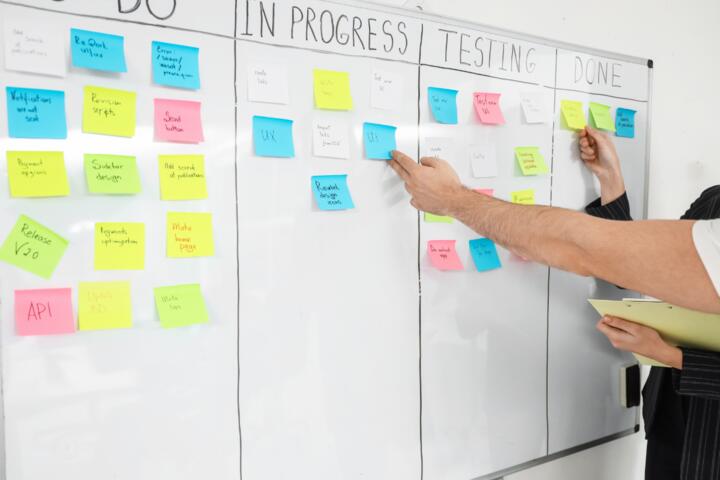
Trello’s free tier offers unlimited cards, 10 boards, and integration with 1 Power-Up per board, fitting well for individual consultants and small teams. Asana’s free account supports up to 15 team members and basic timeline views, enough to manage projects without premium costs.
Team Communication
Discord functions well beyond gaming circles. It offers voice, video, and text channels free, with unlimited message history, unlike Slack’s 10,000-message cap on free plans. Users can integrate bots to automate routine updates with zero subscription fees.
Cloud Storage
Google Drive and Dropbox Basic tiers provide 15GB and 2GB free storage respectively. For those with heavier needs, MEGA and pCloud offer 50GB and 10GB free caps, allowing off-site backups without monthly charges.
Note-Taking and Organization
Evernote’s free tier limits syncing devices but supports offline notes and basic formatting. Alternatively, Microsoft OneNote provides a full-featured, no-cost experience integrated with Windows, supporting drawing and extensive organization without subscription.
Graphic Design
Canva’s freemium model suits social media posts and presentations, with 250,000+ free templates. GIMP works as a native open-source alternative to Photoshop—it lacks some filters but covers most image editing essentials. The last time I tested GIMP was version 2.10.36, still impressive.
PDF Editing
Smallpdf and PDFsam Basic offer no-cost tools to merge, split, compress, and convert PDFs. While they do not match Adobe Acrobat’s deeper editing functions, they serve everyday document handling well.
Spreadsheets
Google Sheets beats Excel in collaboration speed but may fall short on advanced macros. LibreOffice Calc offers advanced data functions locally, though its interface looks less polished. For most users, free versions cover 80% of spreadsheet needs.
Calendars and Scheduling
Google Calendar syncs easily across devices, supports multiple calendars, and allows invites without charges. Alternatives like Thunderbird’s Lightning add-on integrate calendar functions offline, popular in privacy-focused circles.
Small Success Stories
A freelance marketing consultant reduced client software costs by 90% switching from Adobe Creative Cloud to Canva and GIMP for content creation. Her bill shrank from $52 monthly to zero, freeing budget for client outreach.
Another case: A startup with 7 employees dropped Microsoft Office 365 and Slack, replacing them with Google Workspace free tier and Discord's voice/text channels. They saw productivity improve during 9 months of operation and saved roughly $6000 annually on subscriptions.
Comparing Key Features
| App Type | Premium App | Free Alternative | Main Limit |
|---|---|---|---|
| Document Editing | Microsoft Office | LibreOffice, Google Docs | Offline features (Google) |
| Task Management | Asana Premium | Trello Free, Asana Free | User/board limits |
| Communication | Slack | Discord | Integrated apps |
| Cloud Storage | Dropbox Plus | Google Drive, MEGA | Storage size |
| Graphic Design | Adobe Photoshop | Canva, GIMP | Advanced features |
Avoiding Usual Mistakes
Don’t blindly switch without testing apps in real workflows. Every environment differs; what fits a solo creator might break group processes. For example, Google Docs’ internet dependency frustrates those with unreliable connectivity.
Also, avoid stacking free apps haphazardly. Disparate tools mean duplicate data entry and accidental data loss. Pick few that cover multiple needs instead of many that do one thing poorly.
Be wary of free tiers with hidden limits like API calls or monthly active users—this can surprise budgets when upgrading. Carefully read terms, especially for planned growth beyond proof of concept.
FAQ
Are free productivity apps really secure?
Many free apps like Google Docs and LibreOffice offer strong security but maybe less customizable. Company policies and user behavior often dictate data safety more than the app alone.
Do free alternatives support offline work?
LibreOffice operates fully offline, and some Google Docs features are available offline with setup. However, many cloud-based tools require connection for real-time collaboration.
Can I migrate data from premium to free tools?
Migration works for most standard formats like .docx, .xlsx, PDFs. Some formatting or macros may require manual re-creation, which takes time but no additional cost.
Will free apps limit my team size or projects?
Usually, yes. Trello free limits boards and Asana caps team members. However, small teams (up to 15) often won't feel these restrictions immediately.
Are free apps supported and updated regularly?
Popular free apps have active development communities and frequent updates. LibreOffice 7 series saw multiple releases in 2023, fixing bugs and adding features.
Author's Insight
I switched from using pricey suites to free tools several years ago, saving tons without losing productivity. Testing a single tool deeply before moving is key. A poorly chosen free app creates more headaches than a paid one. For me, striking a balance between functionality and cost keeps projects nimble.
What to Remember
Free productivity apps have matured considerably, covering work scenarios from documents to graphics. With careful selection, you can reproduce 80-90% of premium features without monthly fees. Trial and real use data are the best guides—choose apps that align to your workflows and restrict unnecessary spend. Less software clutter, more focus.