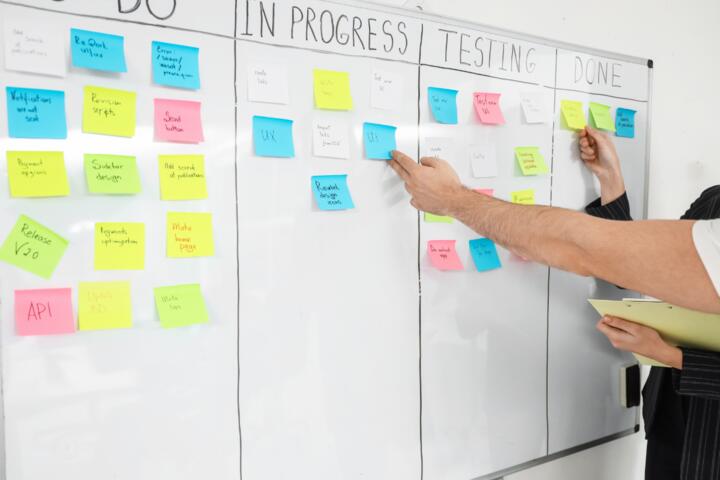
Capture Tasks Before They Slip
Task capture means capturing the next action while the context is still fresh, then storing it in a system you will review on purpose. In health-adjacent life, the “next action” might be calling a clinic, refilling a prescription, completing a form, or asking a question before a visit ends. If you wait until later, the details that make the task solvable—names, dates, dosage notes, and the reason you called—often fade first.
A practical example: you notice a lab result in a patient portal and realize you need to ask whether the value changes your medication timing. If you only think “ask about labs,” the actionable step becomes vague. If you capture immediately as “Message Dr. Lee: confirm whether to take metformin with breakfast on 10/14; labs: A1c 7.2,” the task stays executable even after a busy day. I’ve seen people do this with a phone note titled by date, then forget to convert it into a task list—so the capture works, but the follow-through still slips.
Capture also reduces duplication. When a task lives in multiple places—calendar, sticky notes, a chat thread, and a brain—people often re-do work because they cannot tell whether it already exists. A single capture path with a clear “where it goes next” rule prevents that. The goal is not to capture everything forever; the goal is to capture enough detail to act later without guessing.
Why Tasks Disappear
Most missed tasks come from a few predictable failure points: unclear next actions, missing context, and review gaps. People often write a reminder that describes the topic rather than the action. “Follow up on referral” sounds reasonable, but it does not tell you who to contact, what to ask, or what deadline matters.
Another common issue is dependency on the wrong trigger. A task tied only to a memory cue fails when the cue changes. For example, “After my appointment, call pharmacy” breaks if the appointment runs late, the pharmacy is closed, or you leave with new instructions that change the call. Supporting technologies—calendar apps, patient portals, email, and messaging—help, but they do not automatically convert “information received” into “action required.”
People also underestimate review frequency. If you capture tasks but never review the system, the tasks accumulate as noise. A task list that is never checked becomes a storage drawer, not a control panel. Even a well-built tool can fail when the review habit is missing, which is why the workflow matters as much as the software.
Finally, context fragments across channels. A clinic may send instructions by email, a portal message may contain a deadline, and a pharmacy may call with a change. If you capture only one channel, you lose the thread. The supporting dependency here is your ability to link the task to the right source of truth—portal message, prescription record, or appointment note—so you can act without re-reading everything.
Solutions And Advice
Capture With A Single Rule
Use one capture rule: write the next physical action in one line, plus the minimum context needed to do it. For health-related tasks, that minimum context often includes the person or organization, the deadline or date, and the reference (appointment date, prescription name, or portal message subject). A phone note works for capture, but you need a consistent naming pattern so you can find it later.
Example format: “Call [clinic] to ask about [test result] before [date]; reference: portal message ‘A1c follow-up’.” If you prefer apps, a task entry with fields for “Where,” “When,” and “Reference” reduces later searching. I’ve used a simple template in a notes app on iOS (iOS 17.6) where the first line is the action and the second line is the reference; it prevents the “topic-only” reminder problem.
Route Captures Into Tasks
Capture is only step one. Route captures into a task system with a clear conversion step. One realistic approach: collect captures in a single inbox (a notes folder or a dedicated “Inbox” list), then convert them during a scheduled review. If you do not convert, you end up with many “almost tasks” that never become scheduled actions.
Conversion should include deciding the next action and the due date. If the task depends on waiting for a response, set a “waiting for” status and a follow-up date. Many people skip this and then forget to check back. A mild frustration I hear often: “I wrote it down, but I never decided what to do next,” which is why conversion needs to be explicit.
Tools can vary: a calendar for time-bound actions, a task manager for next actions, and email or portal bookmarks for reference. The key is that the task manager holds the action, while the portal/email holds the evidence you will need when you contact someone.
Review Daily, Not Vaguely
Set a review cadence that matches how often tasks become actionable. A common pattern is a 5–10 minute review once per day and a longer review weekly. During daily review, focus on tasks due today, tasks waiting for you to respond, and tasks that have a follow-up date. During weekly review, scan for tasks that have no due date and decide whether to schedule, delegate, or archive them.
Use a “definition of done” for each task. For example, “Call pharmacy” is done when you confirm the refill status and the pickup date, not when you dial the number. If you capture calls as “call pharmacy,” you will feel done after the call even if the outcome still needs action. A short outcome note in the task description prevents that.
Numbers help: if you review daily for 7 minutes and weekly for 25 minutes, you spend about 74 minutes per month. That time budget is often smaller than the time lost to re-checking portals and re-reading instructions.
Reduce Friction With Templates
Templates reduce the cognitive load of writing the same kind of task repeatedly. For health-related tasks, templates might include: “Message provider about medication timing,” “Request prior authorization status,” or “Ask for clarification on lab interpretation.” Keep the template short, then fill in the reference details from the portal message or appointment summary.
For phone calls, a script template can include: what you are calling about, the specific question, and what you need as a result (a confirmation, a date, or a document). A small aside: many people draft scripts in a chat app, then lose them when the chat thread scrolls away. A dedicated note template stored in your capture inbox avoids that.
Templates also help with delegation. If a family member handles a call, the task should include the exact question and the reference. Without that, delegation turns into another capture problem.
Case Examples
Scenario 1: Portal message to action. A person receives a portal notification about a lab result on a Tuesday evening. They capture immediately as: “Message Dr. Lee: confirm whether to take medication with breakfast; reference: portal subject ‘A1c follow-up’; due: before next dose on Wed morning.” During the daily review, they convert it into a task scheduled for Wednesday at 9:00 a.m. The task includes a copy of the portal subject line so they can find the message quickly. The follow-up date is set for Thursday if no reply arrives.
Scenario 2: Referral follow-up with dependencies. After a primary care visit, a person writes “Follow up on referral” on a sticky note. The referral office calls later asking for missing insurance details. The sticky note is lost, and the person re-starts the process. In the corrected workflow, the capture rule would have produced: “Call referral office: ask what documents are missing; reference: referral date 9/28; deadline: before 10/20 appointment.” The task would then be marked “waiting for” once the missing documents are submitted, with a follow-up date.
Checklist For Reliable Capture
| Step | What You Write | What It Prevents | Quick Test |
|---|---|---|---|
| Capture Immediately | One line with the next action | Memory loss and vague reminders | Can you act in under 2 minutes from the note? |
| Add Minimum Context | Who/what + reference + date | Re-reading portals and guessing details | Could someone else find the source from your text? |
| Convert During Review | Task with due date or waiting status | “Inbox drawer” accumulation | Does it have a next step you can schedule? |
| Record Outcomes | Result of the call/message | Repeating calls due to unclear completion | If you read it later, do you know what changed? |
If you want a shorter version, use this step-by-step checklist: capture the next action, add the reference, convert it during review, schedule or set a follow-up date, then write the outcome. The system works when each step has a visible output.
Common Mistakes
One mistake is capturing tasks as reminders that describe a feeling or topic. “Anxious about labs” does not tell you what to do next, so the task cannot be executed. Replace it with a concrete action like “Ask provider whether to adjust medication timing based on lab date.”
Another mistake is relying on a single channel. If the only place you store tasks is email drafts, you will miss tasks when the draft is archived or the subject line changes. If the only place you store tasks is a calendar, you will miss tasks that do not have a time. A dual approach works better: calendar for time-bound actions, task list for next actions, and notes for references.
People also forget to handle waiting states. When you send a message and wait for a reply, the task should move into a waiting category with a follow-up date. Without that, the system stops tracking the dependency, and the task slips back into mental debt.
Finally, some workflows hide tasks behind too many steps. If capturing requires opening three apps, you will skip it during busy moments. A capture inbox that is reachable in one motion reduces that friction. I’ve seen people set up elaborate workflows and then abandon them after a week because the capture step became the bottleneck.
FAQ
What counts as a “next action”?
A next action is the smallest physical step you can do to move the task forward, like “call the clinic,” “send a portal message,” or “fill out the form section for insurance details.” If you cannot picture the step, the task needs more clarity.
How do I capture tasks from a patient portal?
Copy the portal message subject and the key instruction into your capture note, then write the next action and any deadline. If the portal message includes a date, use it as the follow-up anchor rather than relying on your memory.
Should I use one app or several?
Use one place for the task action and another place for the reference when needed. A common pattern is a task list for actions and a notes or document area for portal/email details, so you do not lose evidence while reviewing tasks.
How often should I review my task list?
Review daily for due items and responses, then do a weekly scan for tasks without due dates and tasks that have stalled. If you only review weekly, tasks that become actionable midweek can still slip.
What if I miss a task review day?
Run a catch-up review immediately when you notice, then set a short follow-up schedule for anything time-sensitive. Mark overdue tasks with a new due date or waiting status so the system reflects reality.
Author's Insight
Task capture systems succeed when they connect three elements: a concrete next action, enough context to act later, and a review cadence that matches how tasks become actionable. Evidence from productivity research consistently points to the same failure modes: vague reminders, missing context, and lack of scheduled review. Health-related tasks add extra risk because deadlines and medication or appointment details degrade quickly. A practical approach is to keep capture friction low, then convert captures into tasks during a predictable review window.
Key Takeaways
Capture tasks as executable next actions, not topics. Add the minimum reference so you can act without re-searching. Convert captures into scheduled tasks during a daily or weekly review, including waiting states with follow-up dates. Record outcomes so “done” means the outcome you needed, not just the activity you performed.