The New Era of Dictation
In 2026, the bottleneck for professional output is no longer the speed of your processor, but the speed of your keyboard. The average person types at 40 words per minute, yet we speak at nearly 150 words per minute. Voice-to-text workflows have moved beyond simple transcription to "voice-to-thought" translation, where AI models like Whisper V4 and Claude 3.7 handle natural language processing in real-time.
For a project manager moving between job sites or a lawyer preparing a brief, dictation isn't just about hands-free convenience; it is about cognitive offloading. Recent productivity benchmarks show that professionals who switch to voice-first workflows for initial drafts see a 60% reduction in "compositional fatigue," allowing for higher-quality editing phases later in the day.
Brands like Wispr and Sonix have reported that their 2026 iterations now reach 99% accuracy even in moderately noisy environments. This level of reliability means that "correcting the AI" is no longer a core part of the process, shifting the focus back to the content of the message itself.
Barriers to Voice Mastery
The primary reason voice-to-text fails for most users isn't the technology—it is the lack of a structured workflow. Most people try to dictate exactly as they would type, leading to stuttering, "um-ing," and mechanical errors. This "thinking-while-speaking" conflict creates messy transcripts that take longer to clean up than a manual draft would have taken to type.
Furthermore, privacy and compliance are often overlooked. Using a consumer-grade, unencrypted voice app for sensitive client emails can violate GDPR or HIPAA regulations. Professionals often realize too late that their dictated notes are being used as training data for public LLMs, compromising intellectual property and client confidentiality.
Lastly, the "empty screen" syndrome applies to dictation too. Without a specific starting point or a mental outline, voice-to-text can devolve into rambling, 1,000-word emails that obscure the actual call to action. Learning to speak in "structured blocks" is the missing link in most productivity suites.
High-Yield AI Workflows
System-Wide AI Keyboards
In 2026, the most efficient workflow involves system-wide AI dictation tools like Wispr Flow or DictaFlow. Unlike the built-in dictation on older OS versions, these tools act as a global keyboard overlay. You don't have to copy-paste; you simply hold a hotkey, speak in any application—from Slack to Salesforce—and the AI types for you in real-time.
The technical advantage here is "style-aware" output. Modern tools can be trained on your previous emails to mimic your specific tone, whether that is "terse professional" or "empathetic mentor." This eliminates the need to manually add formal greetings or sign-offs, as the AI handles the framing based on the recipient.
The Whisper-to-Draft Loop
For long-form notes, a "record now, process later" loop is superior to live typing. Using a dedicated hardware recorder or a secure mobile app to capture raw audio thoughts allows you to speak without looking at a screen. You can then feed this raw audio into a local instance of OpenAI's Whisper model for 100% private transcription.
Once transcribed, the raw text should be piped into a prompt-engineered assistant like Claude or ChatGPT. A prompt such as "Clean this raw dictation into a structured project update for the executive team" can turn ten minutes of rambling into five clear bullet points. This "two-stage" process is the current gold standard for executive communication.
Contextual Email Replies
Newer integrations allow you to dictate a "sentiment" rather than a full response. For example, using a tool like Superwhisper, you can say, "Reply to John, tell him the budget is approved but we need the timeline by Friday." The AI then drafts a polite, fully-formed 150-word email based on that intent and the context of the previous thread.
This workflow reduces the "reply-to-all" dread. By focusing on the intent rather than the syntax, you can clear an inbox of 50 emails in roughly 15 minutes. The key is to keep the human "in the loop"—always do a final visual scan before hitting send to ensure the AI hasn't hallucinated a specific date or figure.
Field-to-Office Syncing
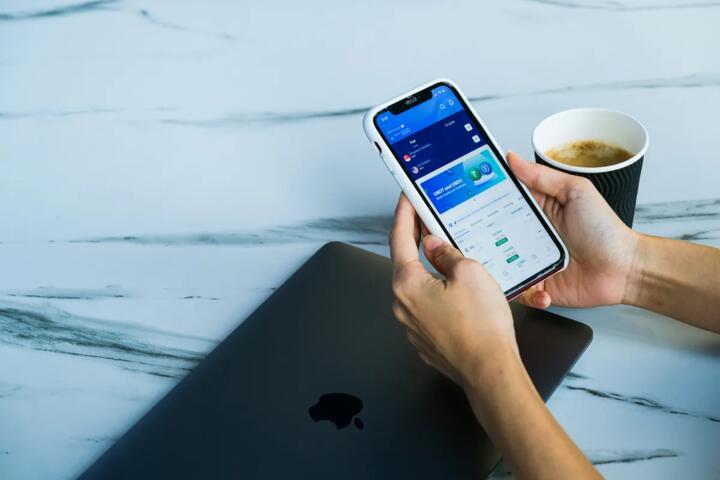
For professionals in real estate, construction, or medicine, mobile dictation needs to be location-aware. Using iOS Shortcuts or Android Rules, you can trigger a specific "Note-Taking" focus mode that opens a voice-ready app like Otter.ai or Jamie the moment you arrive at a specific GPS coordinate.
In these scenarios, use a high-quality noise-canceling headset like the Bose QuietComfort Ultra or a specialized directional mic. Hardware quality is the single biggest variable in transcription accuracy when outdoors. A $300 investment in a microphone can save 10 hours of manual correction over a single month.
Advanced Voice Commands
Efficiency increases significantly when you master non-textual commands. Modern dictation engines recognize "New Paragraph," "Insert Table," or "Bullet Point" natively. Beyond formatting, you can now use "Action" commands. Saying "Schedule a meeting with this person for next Tuesday" while dictating can automatically trigger a Calendar event via Zapier or Make.com integrations.
This transforms your voice from a typewriter into an operating system. By chaining voice-to-text with automation platforms, you move from "writing a note about a task" to "executing the task" via speech. This is particularly effective for CRM updates in HubSpot or Pipedrive where manual data entry is notoriously low.
Performance Case Studies
A regional sales director at a logistics firm, GlobalRoute, transitioned his team of 20 from manual typing to an AI-dictation workflow using Wispr Flow. Previously, the team spent an average of 90 minutes daily on post-meeting notes and CRM updates. By implementing "Voice-to-CRM" automation, they reduced this to 15 minutes per day.
The result was a total gain of 25 hours of selling time per week across the team. More importantly, the quality of the notes improved. Because it was easier to speak than type, the sales reps captured 40% more detail about client pain points, leading to a 12% increase in second-meeting conversion rates over six months.
In another case, a boutique legal firm used local Whisper V4 processing to dictate sensitive case notes. By keeping the processing on-site rather than in the cloud, they maintained strict privilege while increasing their drafting speed for initial briefs by 3x. This allowed the senior partners to focus on strategy rather than clerical document preparation.
Comparison of AI Tools
| Tool | Best For | Privacy | Platform |
|---|---|---|---|
| Wispr Flow | Global Typing | Cloud-based | Win/Mac/iOS |
| Superwhisper | Privacy/Power | Local/Offline | Mac/iOS |
| Otter.ai | Meetings | SOC 2 Type II | Web/Mobile |
| Dragon Pro | Legal/Medical | HIPAA Compliant | Windows Only |
Common Mistakes to Avoid
The "Dictation Echo" is a common error where users forget to turn off their system speakers while dictating. If the computer speaks back or plays a notification sound, the AI may transcribe that audio as part of your message. Always use headphones or an external mic with a cardoid pickup pattern to isolate your voice from the environment.
Failing to use "Instant Rewriting" is another pitfall. Modern AI dictation allows you to say "Actually, change that last sentence to be more formal" immediately after speaking. If you wait until the end of a long recording to make these stylistic changes, you lose the efficiency gain of real-time AI assistance.
Lastly, do not ignore the "training" phase. While 2026 models are largely "plug-and-play," spending 10 minutes providing the tool with your custom dictionary—acronyms, client names, and technical jargon—will move your accuracy from 95% to 99%. That 4% difference is the gap between a useful tool and a frustrating one.
FAQ
Is it safe for work?
It depends on the tool. For enterprise use, look for "SOC 2 Type II" or "HIPAA" compliant services like Dragon Professional or specific enterprise tiers of Otter. Use local-only models like Superwhisper if you deal with highly confidential trade secrets that cannot leave your hardware.
How do I fix errors?
Most 2026 tools allow for "Voice-to-Edit." You can highlight a word with your cursor and say "Correct to [Word]" or "Delete last paragraph." This prevents you from having to move your hands back to the keyboard, keeping you in the verbal flow state longer.
Does it work with accents?
Yes. Contemporary models trained on diverse datasets (like the latest Whisper updates) are specifically designed to handle regional accents and non-native speakers. In fact, AI transcription often handles heavy accents better than standard legacy software due to contextual word prediction.
Can I use it for Slack?
Absolutely. Using a system-wide tool like Wispr Flow or the built-in "Voice Access" on Windows 11 allows you to dictate directly into the Slack text box. The AI will even format your code blocks or bold your text if you give the appropriate voice commands.
What hardware is best?
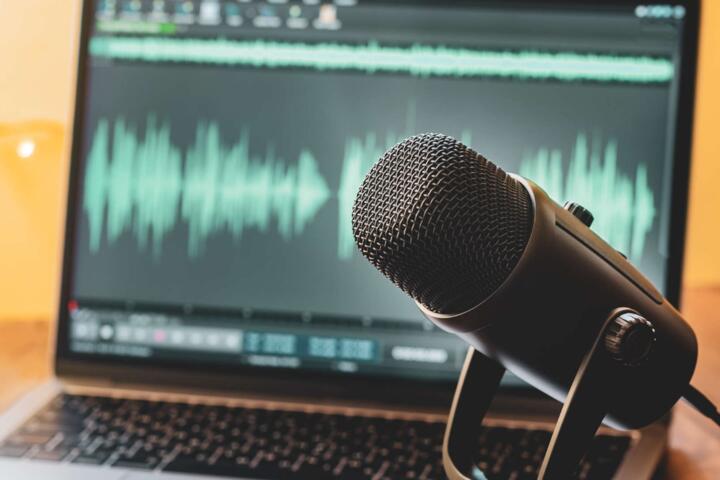
While smartphone mics have improved, a dedicated USB or XLR microphone like the Shure MV7+ or a high-end headset is recommended for professional use. Consistent audio quality ensures the neural engine doesn't have to "guess" through background hum or wind noise.
Author's Insight
I have completely replaced my morning email sessions with a "walking dictation" routine. By using a high-end Bluetooth mic and a system-wide AI keyboard, I can clear my inbox while walking the dog, which has dramatically reduced my screen time. My biggest tip for beginners: stop trying to be perfect. Speak your messy thoughts aloud and let the AI do the heavy lifting of cleaning up the grammar. The goal is information transfer, not a spelling bee performance.
Summary
AI-powered voice-to-text is a force multiplier for anyone who spends more than two hours a day communicating. By selecting the right tool for your privacy needs, mastering basic formatting commands, and moving to a "speak-first" workflow, you can reclaim hours of your week. The most successful professionals in the next decade will be those who can translate their thoughts into text as quickly as they occur—making voice dictation an essential skill in the modern toolkit.