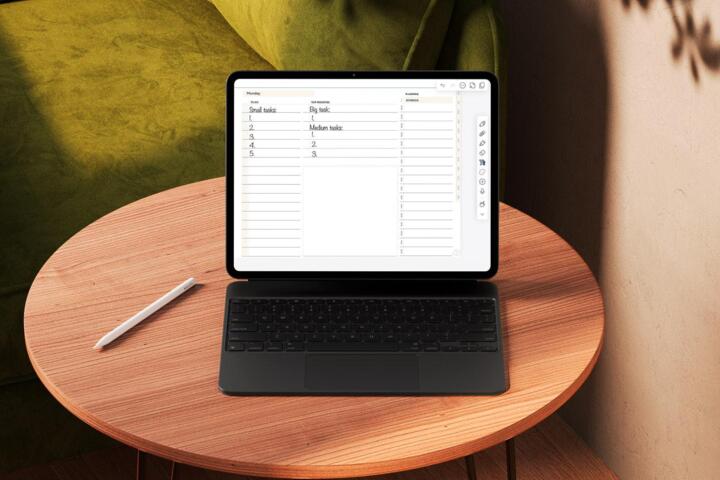
Time Blocking ROI Over Hours
Time blocking schedules work into specific calendar slots, while time tracking records what you actually did during those slots. ROI on your hours depends on the gap between planned effort and real effort, plus the cost of switching contexts. A calendar block that prevents a meeting from expanding is different from a tracker that merely reports where the day went.
In practice, time blocking often improves ROI by reducing decision-making during the day: you stop choosing what to do next and start executing the next block. Time tracking improves ROI by exposing patterns that planning hides, such as recurring “invisible work” or meeting overruns. When both are used well, the tracker informs block design, and the blocks reduce the need for constant tracking.
Example: if you block 45 minutes for “patient follow-up calls” and the calls repeatedly take 70 minutes, the ROI problem is not the calls; it is the block size, the call list, or the handoff process. A tracker that tags call duration and prep time makes that mismatch visible, and a revised block makes it less likely to repeat.
One small aside: I’ve seen teams try to track everything down to the minute and then abandon the system after a week because the friction is too high. A lighter approach—tracking only categories like “deep work,” “meetings,” and “admin”—often survives longer than the perfect one.
Where People Misread ROI
Many people treat time blocking as a promise and time tracking as a verdict. That framing breaks down because both methods measure different things: blocks measure intent, trackers measure reality. ROI comes from adjusting the system, not from declaring one method “right.”
Common pain points show up in dependencies. Time blocking depends on calendar hygiene, realistic task sizing, and a rule for what happens when a block overruns. Time tracking depends on consistent capture, a taxonomy you can apply quickly, and a review cadence that turns data into changes.
A frequent mistake is using time blocks for tasks that require unpredictable inputs, then blaming the method when the inputs arrive late. Another mistake is tracking too broadly, then drawing conclusions from noisy categories like “work” or “misc.” A third mistake is reviewing data too rarely; a tracker that sits for a month becomes a history lesson instead of a control loop.
Supporting technologies matter. A calendar app with recurring blocks and color coding reduces planning overhead, while a time tracker with keyboard shortcuts reduces capture friction. If you rely on manual entry, the ROI math changes because the act of tracking consumes the very hours you want to improve.
Also, ROI depends on context switching. If your workflow includes frequent interruptions—messages, calls, or handoffs—then the “value” of a block is partly the reduction in switching, not just the total scheduled time. You can measure this indirectly by tracking “interruption count” or by comparing focus-time blocks before and after you change notification settings.
Solutions And Advice That Work
Start With Block Design
Use time blocking to control your day structure. Create blocks for outcomes, not activities: “draft care plan,” “review lab results,” “write patient letter,” or “study module 3.” For each block, set a time budget that matches your past throughput, then add a buffer rule for overruns. A practical starting point is 60–90 minute deep-work blocks for tasks that tolerate uninterrupted focus, and 25–45 minute blocks for tasks with frequent interruptions.
To reduce planning overhead, keep a small set of block types and reuse them. If you use a tool like Google Calendar, you can create recurring templates and duplicate them weekly; in Microsoft Outlook, you can use recurring meetings as block scaffolding. I’ve found that naming blocks with a verb and an output (“Call pharmacy: confirm refill status”) makes it easier to stop when the output is done, which prevents “block creep.”
Track only the block outcome at first: did you finish the output, partially finish, or miss? That single label already supports ROI analysis without turning your day into a data-entry project.
Track Reality With Light Tags
Use time tracking to measure where your hours actually go. Start with 5–8 categories that match your decision points: deep work, meetings, email/messages, admin, waiting/on hold, learning/study, and breaks. Capture in real time when possible; if you must do end-of-day entry, cap it at a short review window so you do not rewrite the day from memory.
For realistic numbers, aim for 1–2 minutes per capture event. If your workflow requires frequent switching, you can track at the start and end of each activity rather than continuously. A mild frustration many people hit: trackers that demand constant clicks can feel like “tax” on focus, so keyboard shortcuts and mobile widgets matter more than the app’s feature list.
Review the data weekly. Look for two metrics: (1) total time in each category, and (2) the number of transitions between categories. If deep work time stays flat while transitions rise, your ROI problem is likely interruption load rather than task difficulty.
Use A Feedback Loop Weekly
Turn the combination into a control loop. Week 1: block your calendar with a template and record block outcomes (done/partial/missed). Week 2: add light tracking tags to quantify where overruns and misses come from. Week 3: adjust block durations, buffer rules, and task lists based on the patterns you see.
Example adjustment rules: if meetings consistently consume 20–30% more time than scheduled, reduce the number of meeting blocks and add a “meeting aftermath” block for follow-ups. If admin time spikes after certain tasks, split the workflow into “work” and “admin” blocks so the admin does not steal focus time.
One incidental detail from a practical setup: a simple spreadsheet review with a pivot table can replace complex dashboards. In one workflow I observed (versioned weekly templates in Notion, dated 2025-02-14), the biggest ROI gains came from changing only two parameters: deep-work block length and the placement of admin blocks after meetings.
Measure ROI With Three Outcomes
ROI on hours needs measurable outcomes, not just “I feel busy.” Choose three outcome measures that connect to your goals. For knowledge work, use throughput (tasks completed per week), quality proxies (rework rate, number of revisions, or error counts), and time-to-decision (how long it takes to finish a review or approval). For health-adjacent routines like study or training, use completion rates for modules and retention checks rather than raw time spent.
Then connect those outcomes to your time system. If throughput rises while total tracked time stays constant, ROI improved. If throughput rises but tracked time also rises, ROI may still improve if quality proxies improve enough to reduce rework. If throughput stays flat and transitions rise, your system likely increased context switching.
Be cautious with short-term results. A two-week dataset can mislead if your workload includes unusual events. A 4–6 week window usually gives a clearer signal, especially when you change both blocking and tracking at once.
Case Examples With Real Constraints
Clinician Admin And Calls
An anonymized outpatient clinic coordinator used time blocking to schedule “call follow-ups” for 45 minutes each morning. The blocks often overran because call lists were prepared late, and the rest of the morning shifted. After adding light time tracking tags for “prep,” “calls,” and “waiting/on hold,” the coordinator saw that prep averaged 20 minutes and calls averaged 55 minutes, with frequent on-hold time.
The coordinator revised the calendar template: a 20-minute prep block moved earlier, call blocks increased to 60 minutes, and a 10-minute buffer captured the on-hold spillover. In the next 4 weeks, call follow-up completion improved from partial to mostly complete, and the number of missed handoffs dropped. Total tracked time increased slightly, but rework and rescheduling decreased, which improved ROI.
Student Study And Meetings
An anonymized graduate student used time tracking to record study time and found that “email/messages” consumed 2–3 hours on weekdays. The student then added time blocking for study blocks and placed a single “message window” at midday. The tracker showed a reduction in transitions from messages to study, and the student’s weekly module completion improved.
However, the student still missed some blocks because group meetings ran late. The student added a rule: after any meeting, the next block becomes “review and plan” for 20 minutes before deep study resumes. That small change reduced the time lost to re-orienting, which improved ROI without requiring constant tracking.
Comparison Table For Decision
| Dimension | Time Blocking | Time Tracking | Best Use |
|---|---|---|---|
| Primary output | Planned schedule | Actual time distribution | Planning vs diagnosis |
| ROI mechanism | Less decision-making, fewer overruns | Reveals hidden work and interruption patterns | Control vs measurement |
| Setup friction | Low to moderate | Moderate if manual | Calendar templates help |
| Data quality risk | Optimism bias in estimates | Recall errors, category drift | Use short review windows |
| Best review cadence | Weekly block outcomes | Weekly category totals and transitions | 4–6 weeks for signal |
Common Mistakes That Break ROI
A frequent mistake is tracking time without changing anything. A tracker that produces charts but no calendar adjustments turns into a reporting hobby. ROI improves only when you use the data to change block sizes, task lists, or interruption rules.
Another mistake is blocking every minute. Over-scheduling reduces flexibility and increases the chance that one delay cascades into missed blocks. A better approach uses a mix: fixed blocks for recurring commitments and flexible blocks for work that can shift.
People also confuse “time spent” with “work completed.” If you block “research” but do not define an output, you can spend 90 minutes and still have nothing to show. Define outputs like “summarize 3 sources,” “draft 300 words,” or “complete one checklist item.”
Category design can also fail. If your tracker categories overlap—like “admin” and “email” both capturing the same actions—you get inconsistent data and false conclusions. Keep categories mutually exclusive as much as possible, even if that means adding a small “other” bucket.
Finally, people forget to account for transitions. If you ignore the time between tasks, you will underestimate the cost of context switching. Add a small transition buffer in your blocks or track transitions as a separate tag during the first few weeks.
FAQ
Which Method Fits A Busy Schedule?
Time blocking fits when you need fewer decisions during the day and you can protect focus windows. Time tracking fits when you suspect hidden work or interruption patterns and you need evidence to redesign your schedule.
How Long Should I Track Before Judging ROI?
Use at least 4 weeks when workload varies, and 2 weeks only when tasks and interruptions stay stable. Judge ROI using throughput and rework proxies, not just total hours.
What Categories Should I Use For Tracking?
Start with 5–8 categories tied to decisions: deep work, meetings, messages, admin, waiting/on hold, learning/study, and breaks. Avoid overlapping categories so weekly totals remain interpretable.
How Do I Handle Blocks That Overrun?
Use a buffer rule and an “overrun destination” block, such as a short catch-up or follow-up slot. If overruns repeat, adjust block duration based on tracked averages rather than personal estimates.
Can I Use Both Without Losing Time?
Yes by tracking lightly: record block outcomes plus a small set of tags for categories. Many workflows work better when tracking is limited to a few weeks and then reduced to outcome labels.
Author's Insight
Time blocking and time tracking both influence ROI through different pathways: blocks reduce decision load and context switching, while tracking reveals where time actually goes. The highest ROI gains usually come from using tracking to correct block design, then using blocks to reduce the need for constant tracking. Evidence from productivity research and time-use studies generally supports the idea that measurement without feedback rarely changes behavior, while feedback loops improve planning accuracy. The practical limit is friction: if capture takes too long, the system stops producing useful data.
Key Takeaways
- Use time blocking to control your day structure and reduce decision-making during focus time.
- Use time tracking to diagnose hidden work, interruption patterns, and repeated overruns.
- Measure ROI with outcomes like throughput and rework proxies, not only hours logged.
- Run a weekly feedback loop for 4–6 weeks, then adjust block durations and buffer rules based on the data.
- A light tracking setup beats a perfect one when friction threatens consistency.