Automation For Quiet Tasks
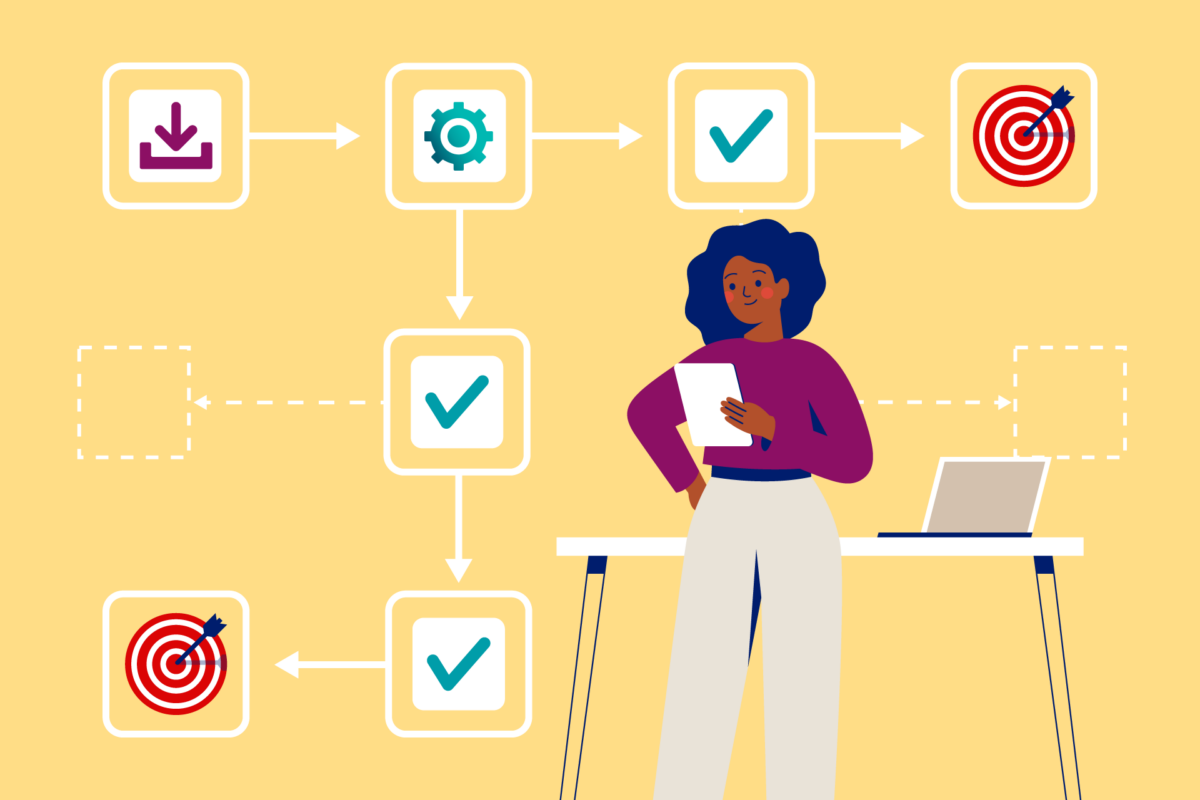
Automation tools can take over repetitive, rule-based work that sits around health decisions, like routing messages, scheduling reminders, and formatting records for review. The key boundary is that automation should not guess clinical meaning from thin data; it should move information through a controlled workflow and leave judgment to a clinician or the user. A practical example: a system can convert a patient’s intake form answers into a structured note template, then flag missing fields for a human to complete. Another example: a reminder workflow can send appointment nudges based on a calendar event, then stop if the patient replies “cancel.”
“Quietly handle” also means the tool should reduce noise without hiding uncertainty. If the automation cannot verify a condition, it should route the case to a person rather than inventing a reason. That routing logic depends on supporting components like identity verification, audit logs, and data validation rules, not just the automation script itself. I’ve seen teams spend weeks on the workflow while skipping the boring parts—like what happens when a phone number changes on the day of the visit.
Common Pain Points And Misreads
People often overestimate what automation can do with messy inputs. A common misread is treating “structured text” as “clean data.” For instance, a symptom description copied from a portal may include abbreviations, missing onset dates, or conflicting answers, and an automation rule that assumes completeness will produce misleading drafts. Another misread is assuming that a tool’s summary equals clinical reasoning; most systems summarize what they receive, and they rarely know what they are missing.
Dependencies matter because automation lives at the edges of other systems. Message routing depends on reliable contact fields and consent status. Scheduling depends on calendar permissions and time zone handling. Documentation drafting depends on the note template version and the mapping from form fields to the template. If any dependency drifts—like a portal changing a field name—automation can silently degrade, which is why audit logs and versioned templates matter.
There’s also a privacy and compliance angle that gets underestimated. Even “quiet” automation can create new data flows: a reminder system might send health-adjacent text messages, and a documentation tool might store drafts in a workspace. In the U.S., HIPAA applies to covered entities and business associates handling protected health information, and consent rules vary by state and by service type. If you operate outside HIPAA coverage, you still face contract terms, platform policies, and consumer protection laws that can restrict how data is stored and shared.
Solutions And Advice For Safer Automation
Use Rules For Routing And Reminders
Start with automation that follows explicit conditions you can test. For reminders, define triggers like “appointment scheduled” and “no cancellation received,” then add stop rules like “patient replied cancel” or “reschedule requested.” A realistic target is reducing missed reminders by tracking delivery outcomes and follow-up attempts; many teams aim for a measurable drop in no-shows, but the exact number depends on baseline rates and message timing. Tooling often includes workflow engines (for example, Zapier or Make) paired with calendar and messaging APIs, or a clinic’s existing patient communication platform.
Test edge cases before going live. If a patient changes time zones, the reminder should use the appointment’s time zone, not the user’s device time. I once watched a workflow send reminders two hours early because the calendar event was stored in UTC while the message template assumed local time; the fix was a time zone mapping rule and a unit test for it.
Draft Templates With Human Review
For documentation, automation can pre-fill structured note templates from intake forms, lab uploads, or checklists. The safest pattern is “draft then review,” where the tool inserts only fields it can map confidently and leaves placeholders for uncertain items. A practical method is to version your templates and require a human to confirm the template version used for each note. If you track template versioning, you can later audit why a draft looked wrong after a form update.
Keep the drafting scope narrow. For example, generate a “history of present illness” outline from user-provided answers, but do not infer diagnoses. If the intake form lacks onset date, the draft should explicitly mark it as missing rather than guessing. In one workflow audit (tool version noted: “workflow-processor 2.3.1”), the biggest quality gains came from adding validation checks like “onset date required for duration-based fields,” not from adding more automation steps.
Set Data Quality Gates And Fallbacks
Automation should include gates that block low-quality inputs from reaching downstream steps. A data quality gate can check for required fields, acceptable ranges, and internal consistency. For example, if a form asks for both “current dose” and “units,” the automation should reject submissions where units are missing or non-standard. When a gate fails, route to a human queue or request clarification from the user.
Use measurable thresholds. You might define that if fewer than 80% of required fields are present, the system sends a clarification request instead of drafting a note. If you cannot measure completeness, start with a simpler rule like “missing onset date triggers a clarification message.” This approach reduces silent failure, which is the most common automation risk in real workflows.
Track Audit Logs And Consent Status
Quiet automation still needs traceability. Maintain audit logs for key actions: message sent, reminder stopped, draft generated, and human review completed. Logs should include timestamps, the automation rule version, and the data version used. For consent, store the consent status and the timestamp of consent, then require the automation to check consent before sending messages.
If you use third-party services, confirm where data is stored and for how long. Many services offer retention controls, but defaults vary. A practical next step is to request the vendor’s data processing terms and retention policy in writing, then align it with your internal retention schedule. If you cannot get clear retention details, treat the tool as a drafting aid rather than a long-term record system.
Case Examples With Real Constraints
Example: Appointment Reminder With Stop Rules
A small outpatient clinic automates appointment reminders for 200 visits per week. The workflow pulls upcoming appointments from a scheduling system, sends a text message 24 hours before, and sends a second reminder 2 hours before only if the patient has not replied. The clinic adds stop rules: if the patient replies “cancel” or “reschedule,” the workflow halts and creates a task for staff. During testing, they found that a subset of phone numbers had formatting differences, so the automation normalized numbers to E.164 format before sending.
After rollout, the clinic reviews delivery reports weekly and compares no-show rates to the prior month. The improvement is modest because baseline no-shows were already low, but the clinic reduced last-minute cancellations by routing replies into a staff queue instead of letting messages disappear into an inbox. The workflow also logs the rule version so staff can trace why a reminder did not send for a specific appointment.
Example: Intake Form Drafting With Missing-Field Flags
A telehealth service uses automation to convert intake form responses into a structured visit note draft. The tool maps fields like “chief concern,” “duration,” and “current medications” into a note template, then flags missing onset dates and missing medication units. Clinicians review every draft before it becomes part of the record. When the intake form changed in a portal update, the automation initially failed to map one field because the field ID changed; the team caught it because the audit log showed a sudden drop in “mapped fields” completeness.
The service improved reliability by adding a completeness gate: if fewer than 75% of fields map successfully, the system stops drafting and requests a manual intake review. The team also kept template versions in the note metadata so they could compare drafts across template changes without guessing.
Checklist For Tool Selection
| Automation Task | What It Should Do | What It Should Not Do | Decision Support Check |
|---|---|---|---|
| Reminder routing | Send messages based on explicit triggers and stop rules | Infer clinical urgency from symptoms | Verify consent status and log delivery outcomes |
| Draft note templates | Pre-fill structured sections from user-provided fields | Diagnose or interpret missing data | Require human review and track template version |
| Data validation gates | Block low-quality inputs and request clarification | Guess missing values to “complete” records | Measure completeness and consistency rates |
| Audit and reporting | Record actions, timestamps, and rule versions | Hide failures behind “successful” statuses | Review logs for silent drops after updates |
Step-by-step checklist for deciding if a tool fits a “quiet” workflow:
- List the inputs the tool receives and the exact outputs it produces, then mark which fields are user-provided versus system-derived.
- Define stop rules for ambiguous cases, then test them with at least 20 realistic samples that include missing fields and formatting errors.
- Confirm where data is stored, who can access it, and how long it is retained under your contract or platform terms.
- Require audit logs for every automated action that touches health-adjacent information.
- Run a short parallel period where humans review outputs while you compare error rates before switching fully.
Common Mistakes That Break Trust
One frequent mistake is treating automation failures as rare exceptions. In practice, failures cluster around updates: a form field rename, a calendar permission change, or a messaging provider outage. If you do not monitor mapping success rates and delivery outcomes, the system can keep running while producing lower-quality drafts.
Another mistake is using automation to “fill in the blanks.” When a tool guesses missing onset dates, medication units, or consent status, it creates records that look complete but are not reliable. A safer pattern is to mark missing fields and route for clarification, even if that adds a small amount of staff work.
People also confuse convenience with correctness. A workflow that drafts notes quickly can still be wrong if it uses an outdated template version or an incorrect field mapping. Keeping template versions and rule versions in the audit log lets you trace issues without guessing.
Finally, teams sometimes skip consent and retention details because the workflow feels small. A reminder message can still be regulated depending on jurisdiction and the nature of the information. If you cannot explain the data flow end-to-end, the automation is not “quiet”; it is just unexamined.
FAQ
What tasks are safest for automation?
Routing requests, sending reminders with explicit stop rules, validating form completeness, and drafting structured templates for human review are usually safer than interpreting symptoms or making clinical judgments.
How do I test an automation workflow before using it?
Run a parallel test with realistic samples that include missing fields, formatting differences, and consent edge cases, then compare error rates and review logs for silent failures.
Do reminder automations need consent checks?
Yes. Consent requirements depend on the messaging type and jurisdiction, so the workflow should check stored consent status and timestamp before sending any health-adjacent message.
What should audit logs include?
Include timestamps, the automation rule or workflow version, the data version used (like template version), and the action outcome such as “sent,” “stopped,” or “draft generated.”
Can automation draft medical notes without being risky?
Drafting can be low-risk when it only maps user-provided fields into a template, flags missing items, and requires clinician review before the draft becomes part of the record.
Author's Insight
Automation tools handle “quiet” work best when the workflow is rule-based, inputs are validated, and outputs are reviewed. The most reliable patterns rely on audit logs, versioned templates, and explicit stop rules rather than open-ended interpretation. If evidence about a tool’s performance is unclear, you can still evaluate it by running controlled tests and measuring mapping success and error rates. I also expect many teams to underestimate the operational side—time zones, consent status, and field renames—because those issues show up only after the first real update.
Key Takeaways
- Choose automation tasks with clear triggers and defined outputs, like reminder routing and template drafting for review.
- Add data quality gates so missing or inconsistent inputs trigger clarification instead of guesses.
- Track consent status and keep audit logs with workflow and template versions.
- Test with realistic edge cases and run a short parallel period to measure failure modes before full rollout.